
Announcement Bar Section Documentation
The Announcement Bar is a versatile section typically located at the very top of the page. It is used to display important messages to customers, such as shipping updates, sales, or other urgent information.

Features
Multiple Announcements: Support for up to 12 announcement blocks.
Slideshow: Automatically rotates through multiple announcements if more than one is present.
Social Media Icons: Option to display social media links.
Localization: Built-in country and language selectors.
Customization: extensive settings for colors, speed, and layout.
Settings
Settings
Description
Default
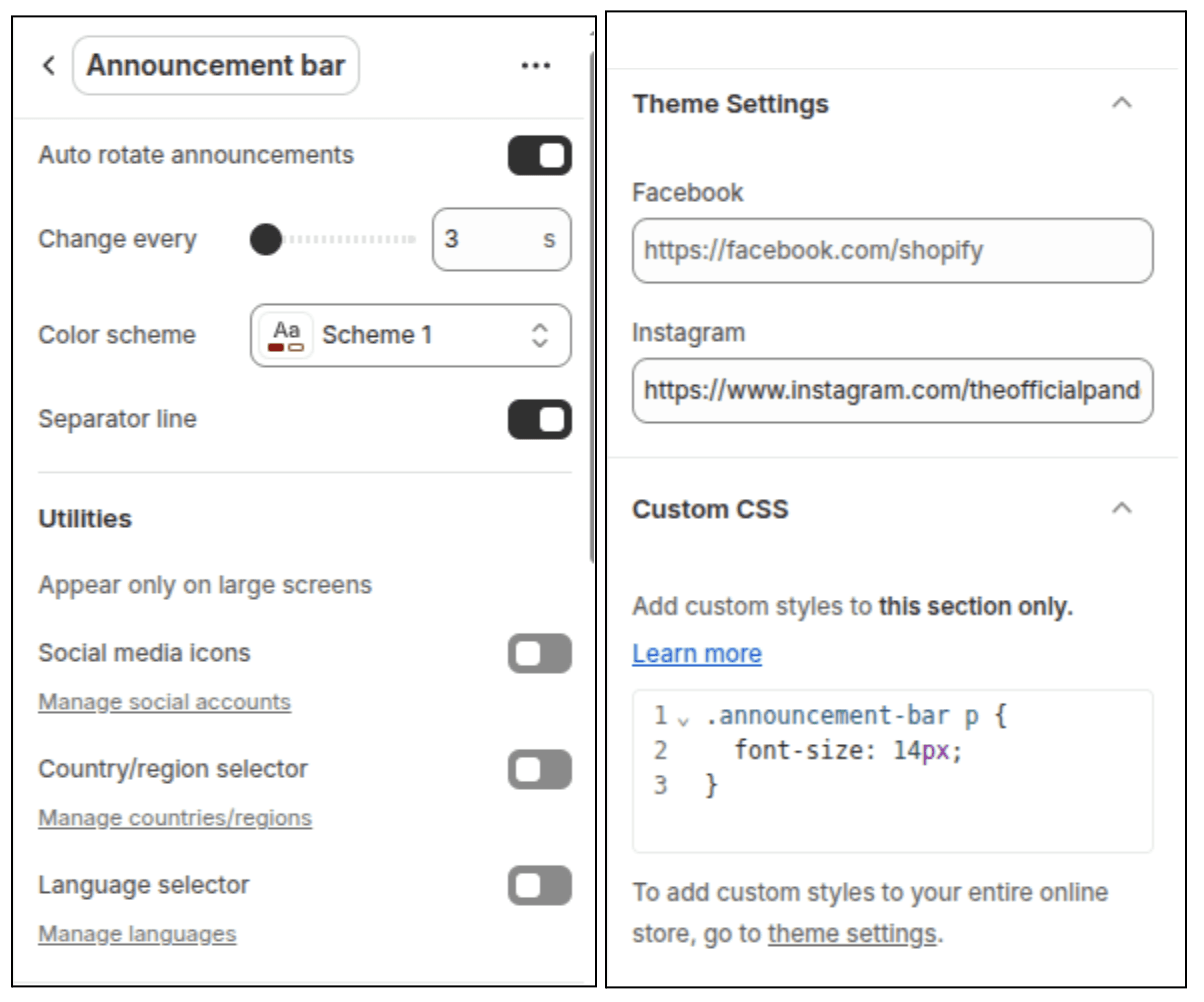
Auto-rotate announcements
Automatically cycles through announcement blocks.
Enabled
Change slides every
The duration (in seconds) each slide is shown (3s - 10s).
3s
Color scheme
Sets the background and text colors based on your theme's color schemes.
Scheme 2
Show separator line
Displays a border at the bottom of the section.
Enabled
Show icons on
desktop
Displays social media icons (if links are set in global settings).
Disabled
Enable country/region selector
Shows a dropdown for customers to select their country/region.
Disabled
Enable language
selector
Shows a dropdown for customers to select their language.
Disabled
Blocks
The section supports one type of block: Announcement.
Announcement Block
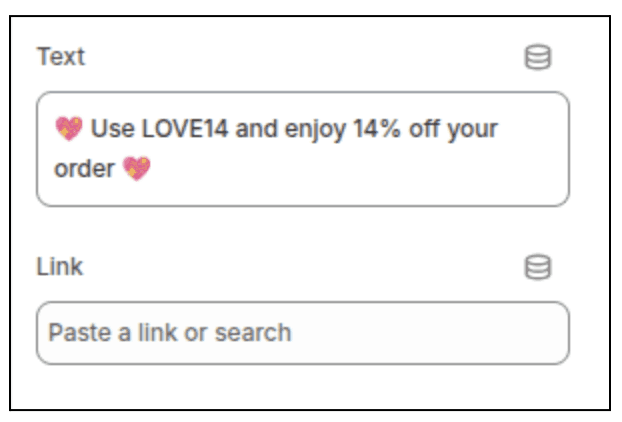
Each announcement block represents a single message in the bar.
Settings
Type
Description
Text
Text
The message to display.
Link
Url
(Optional) Makes the entire announcement clickable.
Customization Tips
Social Media: To show social icons, ensure your social accounts are linked in the Theme Settings > Social media area, and then check "Show icons on desktop" in the announcement bar settings.
Localization: Country and language selectors require you to configure Shopify Markets in your admin settings first.