
Related Products Section Documentation
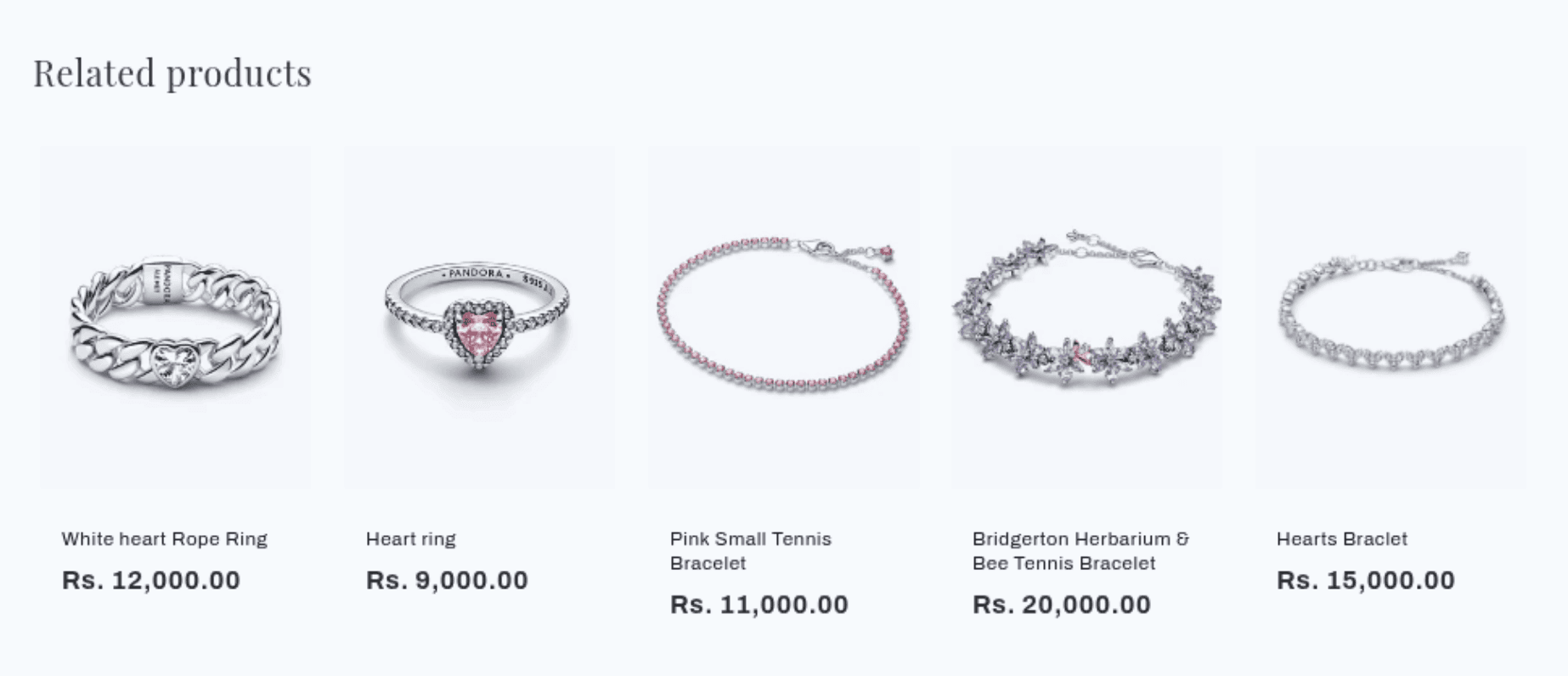
The Related Products section appears on product pages and automatically displays a curated set of products that are relevant to the one currently being viewed. Recommendations are generated by Shopify's algorithm based on product tags, collections, and purchase history. The section only renders when Shopify has recommendations available for the current product.
Features
Automatic Recommendations: Shopify's algorithm selects products — no manual curation needed.
Configurable Count: Show between 2 and 10 recommended products at a time.
Flexible Grid Layout: Set the number of columns independently for desktop and mobile.
Product Card Options: Control image ratio, image shape, secondary image hover, vendor name, and star ratings.
Color Scheme: Matches the card display to your theme's color schemes.
Customization: Heading text, heading size, and section padding are all adjustable.
Settings
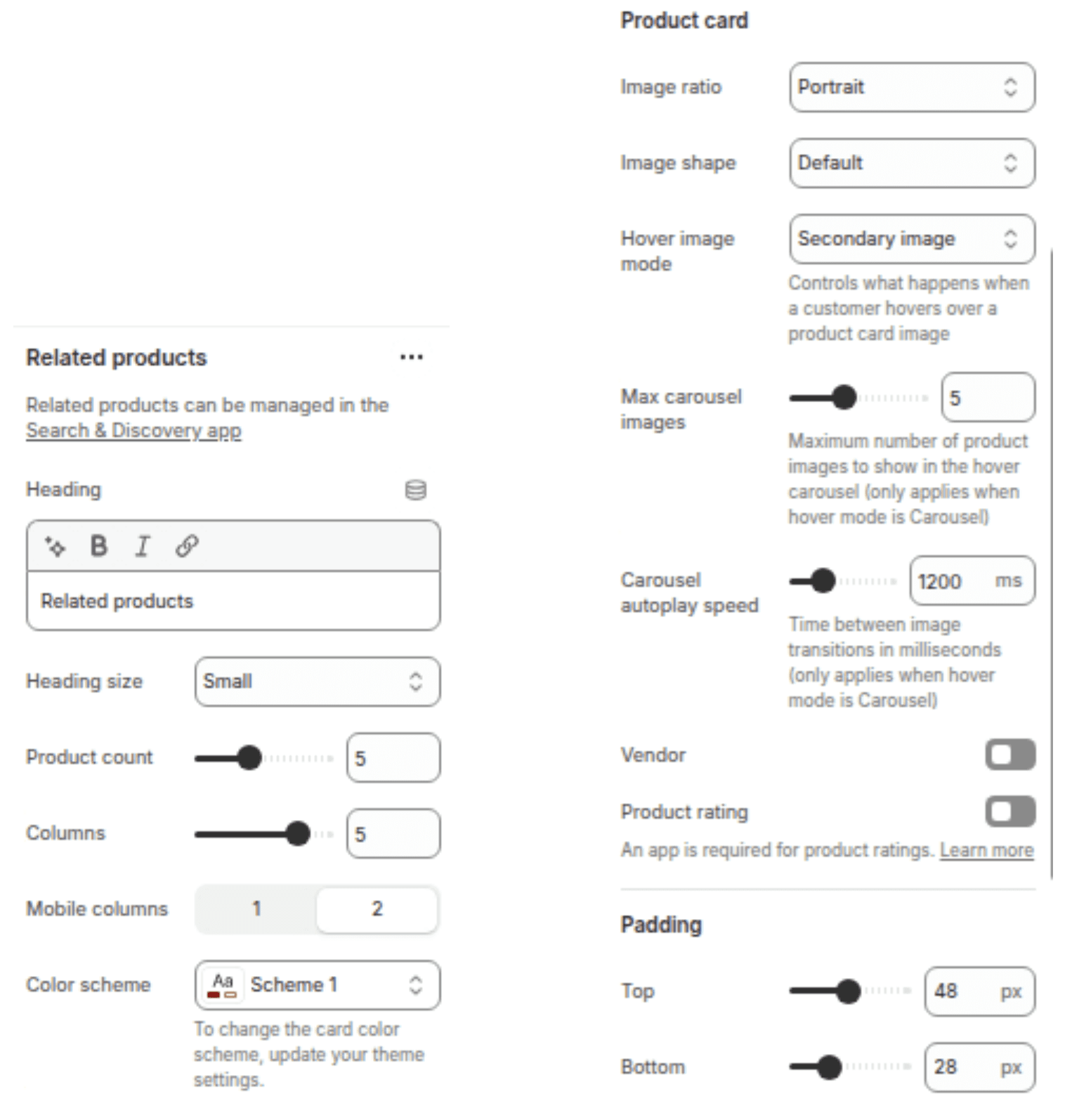
The following settings are available to customize the behavior and appearance of the Related Products section.
Settings
Description
Default
Heading
The title displayed above the recommendations grid. Supports inline rich text.
"You may also like"
Heading size
The size of the section heading. Options: Small (h2), Medium (h1), Large (h0), Extra large (hxl), Extra extra large (hxxl).
Medium (h1)
Products to show
The number of recommended products to display. Range: 2–10.
4
Columns on desktop
Number of product columns shown on desktop. Range: 1–6.
4
Columns on mobile
Number of product columns shown on mobile. Options: 1 column, 2 columns.
2 columns
Color scheme
Sets the background and text color of the section. Note: colors also affect the product cards inside it.
Scheme 1
Image ratio
Aspect ratio of product images in the cards. Options: Adapt to image, Portrait, Square.
Adapt to image
Image shape
Shape mask applied to product images. Options: Default, Arch, Blob, Chevron left, Chevron right, Diamond, Parallelogram, Round.
Default
Hover image Mode
Controls what happens when a customer hovers over a product card image
Secondary Image
Max carousel images
Maximum number of product images to show in the hover carousel (only applies when hover mode is Carousel)
5
Carousel autoplay speed
Time between image transitions in milliseconds (only applies when hover mode is Carousel)
1200ms
Show vendor
Displays the product vendor name below the product title on each card.
Disabled
Show rating
Displays the product's star rating on each card. Requires a third-party product review app to be installed.
Disabled
Padding top
Space above the section content. Range: 0–100 px, steps of 4 px.
36 px
Padding bottom
Space below the section content. Range: 0–100 px, steps of 4 px.
36 px
Blocks
This section does not support any blocks. All configuration is done through the section settings above.
Customization Tips
Recommendations not showing: The section is hidden until Shopify's recommendation engine has enough data for the current product. It will appear automatically once recommendations are available - no action is needed on your end.
Star ratings: To use the Show rating setting, you must have a compatible product review app installed (such as Shopify Product Reviews or Judge.me). Without a review app, enabling this setting will have no visible effect.
Image shape: Shapes other than Default (such as Blob, Arch, or Round) apply a CSS mask to crop the image. Make sure your product images have sufficient padding or a plain background to avoid important content being clipped.
Columns vs. products to show: If Products to show is set higher than Columns on desktop, the grid will wrap into multiple rows. For a single clean row, keep both values the same.
Color scheme and cards: The color scheme setting affects both the section background and the product card styling inside it. If cards look off, try switching to a different scheme.