
Email Signup Section Documentation
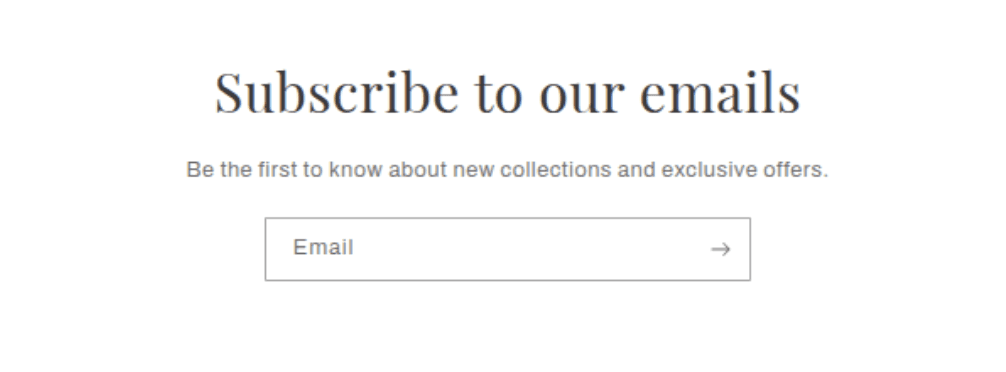
The Email Signup section is a simple, focused newsletter subscription block that can be added to any page on the storefront. It collects customer email addresses and automatically tags them as "newsletter" subscribers in Shopify. The section supports a heading, a supporting paragraph, and an email input form, and can display either full-width or as a narrower centered container.
Features
Email Form: Collects customer email addresses and adds them to Shopify's customer list tagged as "newsletter" subscribers.
Full Width Toggle: The section can span the full page width or display as a narrower centered container.
Heading Block: An optional heading to introduce the signup section, with adjustable size.
Paragraph Block: An optional supporting text block to explain the newsletter offer or incentive.
Success and Error States: Inline confirmation and error messages are displayed directly below the input after submission.
Color Scheme: The section background and text color are set using the theme's predefined color schemes.
App Block Support: Third-party app blocks can be added to the section.
Settings
The following settings are available to customize the behavior and appearance of the Email Signup section.
Settings
Description
Default
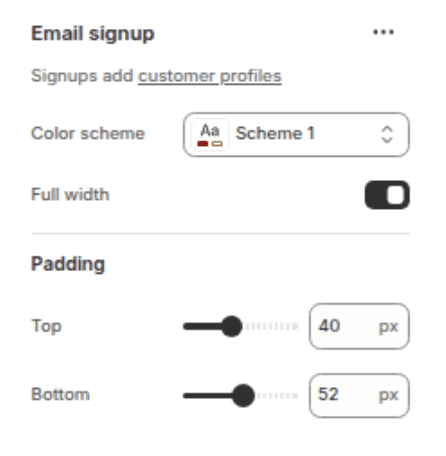
Color scheme
Sets the background and text color of the section using the theme's predefined color schemes.
Scheme 1
Full width
When enabled, the section stretches edge to edge across the full page width. When disabled, the section displays as a narrower centered container with page margins.
Enabled
Padding top
Space above the section content. Range: 0–100 px, steps of 4 px.
40px
Padding bottom
Space below the section content. Range: 0–100 px, steps of 4 px.
52px
Blocks
The section supports up to one of each block type (Heading, Text, Email form), plus unlimited App blocks.
Heading Block
Displays the main title of the email signup section. Limited to 1 per section.
Settings
TYPE
Description
Default
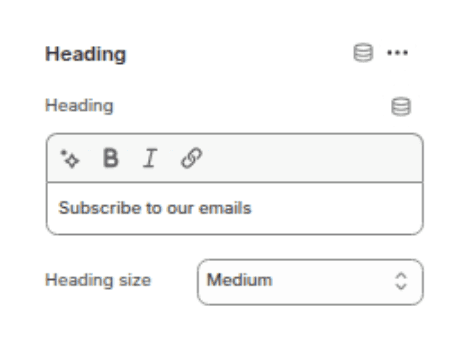
Heading
Inline rich text
The main title displayed above the email form. Supports basic inline formatting.
"Subscribe to our emails"
Heading size
Select
Controls the visual size of the heading. Options: Small (h2), Medium (h1), Large (h0), Extra large (hxl), Extra extra large (hxxl).
Medium (h1)
Text Block
Displays a supporting paragraph below the heading. Supports rich text formatting. Limited to 1 per section.
Settings
TYPE
Description
Default
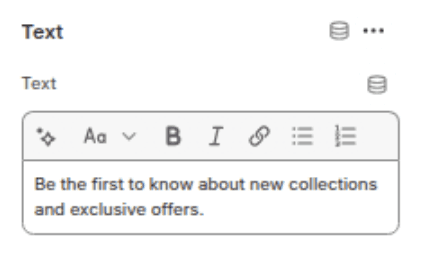
Description
Rich text
Supporting text shown below the heading. Supports bold, italic, and links.
"Be the first to know about new collections and exclusive offers."
Email Form Block
Renders the email input field and arrow submit button. Handles form submission, success confirmation, and error messages automatically. Limited to 1 per section.
Settings
TYPE
Description
—
—
No configurable settings. The form renders automatically and submits to Shopify's newsletter system.
App Block
Allows a third-party Shopify app to inject content into the section. Multiple app blocks can be added.
Settings
TYPE
Description
—
App
Rendered automatically by the installed app. No manual settings required.
Customization Tips
Full width vs. narrow: Use the Full width toggle to match the visual weight of the section to your page layout. Full width works well when the section sits between other full-width sections. Disabling it creates a focused card-like appearance with breathing room on both sides.
Newsletter subscribers: Emails submitted through this form are saved in Shopify Admin → Customers. Each subscriber is tagged with "newsletter" and marked as accepting email marketing. You can filter and export this list from the Customers section.
This section cannot be added to the Header: The Email Signup section is disabled on the header group by design. It can be added to any other page template including the home page, product pages, collection pages, and standalone pages.
Heading uses inline rich text: The heading field supports inline formatting such as bold and italic directly in the Theme Editor. This allows specific words in the heading to be emphasised without needing a separate block.