
Popular Links Section Documentation
The Popular Links section is designed to display a text-based list of collection links, typically placed in the footer area. It serves as an excellent SEO tool by creating a network of internal links to your most important categories, and helps customers find what they're looking for without navigating complex menus.

[Screenshot: Footer area showing a "Popular Searches" section with a list of text links]
Features
SEO Enhancement: Generates a clean list of text links that search engines love.
Auto-Population: Automatically pulls links from a selected list of collections.
Typography Control: Fine-tune font sizes and colors for both the heading and links to match your footer design.
Responsive Design: Independent spacing and sizing controls for desktop and mobile.
Custom Background: Set a specific background color to distinctively separate it from the main footer.
Settings
Heading
Settings
Description
Default
Title
The heading text for the section (e.g., "Popular Searches").
Popular Links
Title Color
Color of the heading text.
#E91E63
Title size (Desktop)
Font size on desktop screens (12px–48px).
24px
Title size (Mobile)
Font size on mobile screens (12px–36px).
20px
Title alignment
Horizontal alignment: Left, Center, or Right.
Left
Title bottom spacing
Space between the heading and the link list (0px–60px).
20px
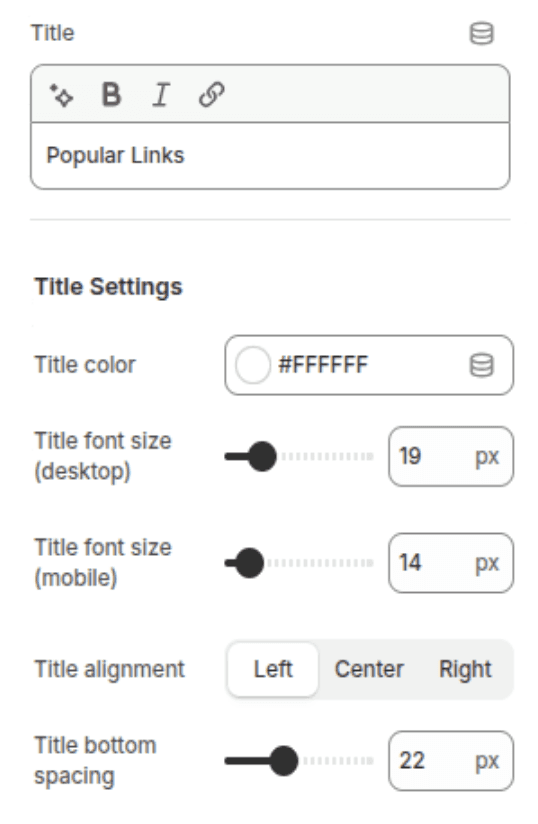
[Screenshot: Theme Editor showing color picker and range sliders for the Title]
Collection
Settings
Description
Default
Collections
The list of collections to display as links.
(None)
Maximum collections
Limits the number of links displayed (0–100).
50
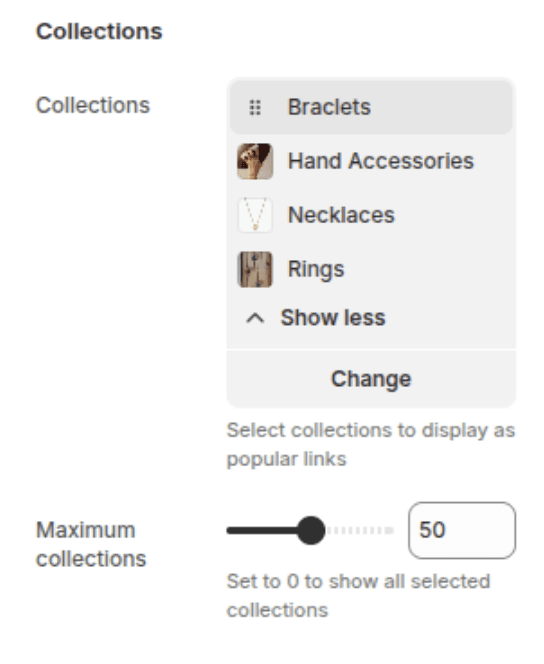
[Screenshot: Theme Editor showing the collection list selection]
Link Styling
Settings
Description
Default
Link Color
Color of the collection links.
#666666
Link font size (Desktop)
Font size of links on desktop (10px–24px).
14px
Link font size (Mobile)
Font size of links on mobile (10px–20px).
12px
Link spacing (Desktop)
Horizontal space between links on desktop.
8px
Link spacing (Mobile)
Horizontal space between links on mobile.
6px

[Screenshot: Mobile interface showing a collection card partially peeking from the side indicating scroll]
Section Layout
Settings
Description
Default
Background color
Background color for the entire section.
#F5F5F5
Section Padding
Vertical padding inside the section (0px–80px).
40px

[Screenshot: The Popular Links section with a light gray background]
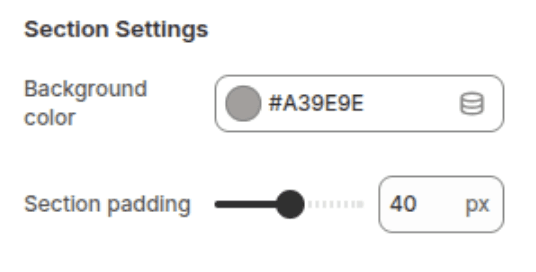
[Screenshot : Section Setting
Customization Tips
Keyword Rich: Use this section to link to collections that target specific search terms (e.g., "Summer Dresses," "Leather Boots") to boost their visibility.
Footer Integration: Match the Background color and Link color to your main footer settings for a seamless look, or use a slightly different shade to make it stand out as a secondary navigation area.
Mobile Readability: Use the Link spacing (Mobile) and Link font size (Mobile) settings to ensure touch targets are large enough and links don't feel cluttered on small screens.
Empty State: If no collections are selected, the section will display a placeholder message in the editor, but will be hidden on the live site.
Copyright 2020-24 - All Right Reserved